
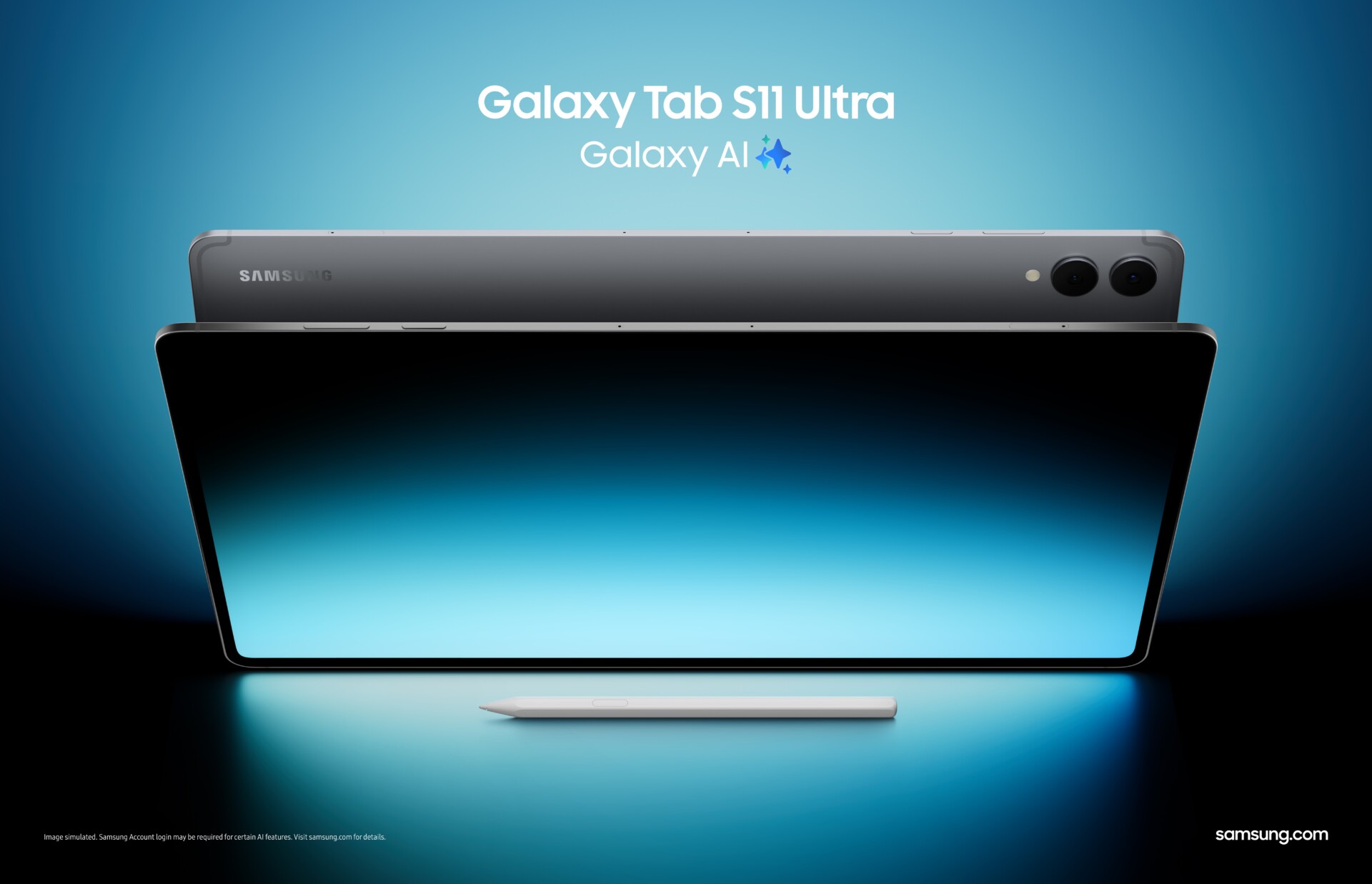

Samsung’s Galaxy Tab S11 line lands with a simple proposition: give power users a premium slate that looks and feels exceptional, runs fast enough for anything you can throw at it, and treats the keyboard and stylus as first-class citizens rather than add-ons. The result is a two-device family—the 11-inch Tab S11 and the expansive 14.6-inch Tab S11 Ultra—that reads like a manifesto for what high-end Android tablets can be in 2025. It’s thin, bright, and unapologetically ambitious, with a tighter hardware-software story and a more confident stance against the iPad Pro than Samsung has mustered in years.
Below, an improved, cleaner take for tech enthusiasts—engaging, critical, and comprehensive—covering design, screens, performance, software and AI, accessories, battery, cameras, pricing, and where the series sits against Apple and the wider field.
Design and Build: Thin, Rigid, and Purposeful
The S11 family wears Samsung’s premium design language with conviction: flat edges, aluminum chassis, near-symmetrical bezels, and a utilitarian elegance that prioritizes grip and durability. The 11-inch Tab S11 hits the portability sweet spot—light enough for long reading sessions, large enough to make multitasking feel natural—while the Tab S11 Ultra is a statement piece. At 14.6 inches, the Ultra is less “tablet you curl up with” and more “portable canvas”: ideal on a desk stand, airplane tray, or docked beside a laptop. Both are impressively thin without the flex or creak that plagues cheaper slates.



Two practical touches matter in daily use. First, water and dust resistance (rare at this level) adds confidence when you’re moving between meetings, coffee shops, and commutes. Second, the side-mounted magnetic S Pen rail is finally intuitive—grab, write, snap back—no awkward flipping to find a rear charging strip, no fiddly pairing dance.
If you’re deciding between sizes, think posture and workflow, not just screen inches. The 11-inch model is the versatile all-rounder; the Ultra wants a desk and rewards you with desktop-class room for timelines, palettes, and side-by-side apps. Both are premium; they simply serve different styles of “mobile.”
Displays: AMOLED Muscle With Creature Comforts
Samsung’s pedigree shows. The AMOLED panels deliver the hallmarks power users care about: high refresh for fluid interaction, deep contrast for color work and HDR video, and enough brightness to stay legible in harsh light. The Ultra, in particular, benefits from its acreage; editing timelines, arranging tracks, or sketching across a wide canvas becomes less about juggling panels and more about staying in flow.
Reflection control deserves mention. Samsung’s anti-reflective treatment isn’t a cure-all, but it cuts the worst glare on the Ultra’s big slab and keeps fingerprints from turning the screen into a mirror. Apple still offers a class-leading matte option on higher-end iPads if you live under studio lights, but Samsung’s approach preserves OLED punch while improving daytime usability.
Performance: Flagship Silicon, Flagship Behavior
Under the hood, the Tab S11 family behaves like what it is: a flagship platform built for sustained loads. App launches are instant, big image files render without drama, and 3D games hold frame rates without thermal throttling cutting the party short. Equally important, background persistence is excellent—the generous RAM ceilings on both models keep your workbench intact when you hop between a browser session with too many tabs, a RAW editor, and a note app.
Does Apple’s latest iPad Pro still win synthetic benchmarks? Usually. Does that matter to the daily reality of a tablet? Less and less. The S11 line is not chasing bragging rights; it’s chasing consistency. And for the core “pro” tablet jobs—marking up documents, assembling a rough cut, diagramming a presentation, running a remote desktop, or doing dev-adjacent tasks—the experience is reliably quick and, crucially, stays quick after an hour.
One more performance angle that matters in 2025: on-device AI. Samsung leans into local inference for summarization, translation, transcription, and image cleanup. The upshot is faster responses, less context loss, and fewer privacy trade-offs when the tablet can handle many requests without shipping data elsewhere.
S Pen: Included, Comfortable, and Focused on the Fundamentals
The S Pen arrives in the box—no upsell—and its latest redesign quietly fixes the small frictions that used to get in the way. The hexagonal barrel is more pencil-like and less slippery, and the new tip shape improves control at high tilt angles for shading and calligraphy. Latency is low enough that your hand forgets it’s writing on glass; line weight tracks pressure predictably; palm rejection is a non-issue.
Samsung did drop the party-trick Bluetooth remote features this generation. For most creators and note-takers that’s a net win: fewer moving parts, zero pairing headaches, and no “dead stylus” moments. If you rely on click-to-advance presentation remotes or air gestures, you’ll miss them. Everyone else gets a tool that behaves like a pen, not a gadget masquerading as one.
On the software side, the out-of-box experience is mature: Samsung Notes is a genuinely capable little workbench; Clip Studio Paint remains a pro-grade illustration environment; GoodNotes and similar apps handle annotation and study workflows with finesse; LumaFusion and other NLEs convert screen size into timeline sanity. The pen isn’t an accessory here—it’s the center of gravity.
DeX and One UI: The Desktop When You Want It, a Tablet When You Don’t
Samsung’s One UI is the most tablet-aware Android skin today, and DeX is its ace card. With a keyboard attached, DeX flips the S11 into a desktop-style workspace: taskbar, windowed apps, proper keyboard shortcuts, and now better external-display behavior. The new “extended” external mode gives you a legitimate dual-screen setup rather than a mirror, so you can park reference material on a monitor while keeping your main canvas on the tablet (or vice versa). Virtual workspaces make sense of multi-project juggling.
The iPad Pro’s Stage Manager has improved, but DeX still feels more like a desktop metaphor rather than a phone OS pretending to be one. If your day leans into spreadsheets, web apps, Git hosting dashboards, or a remote dev box, DeX earns its rent. Snap the keyboard off and you’re back in a touch-first interface that’s clean, gesture-friendly, and good at keeping distractions out of the way.
Galaxy AI, In Context
Buzzwords aside, the S11’s AI story has two meaningful pillars:
- In-app help without app-hopping. A floating assistant you can summon to summarize, translate, outline, or restructure text reduces cognitive overhead. When you’re editing a grant proposal or distilling a research paper, shaving minutes off each “what does this mean?” detour adds up.
- Creative assists that respect intent. Drawing cleanup, background removal, and smart selection speed the grunt work while leaving the creative calls to you. The best AI is the kind you stop noticing because it’s doing the dishes in the background, not trying to be the chef.
Treat AI here as a multiplier for workflows you already have—not a reason to change them.
Battery and Charging: Quietly Competent
Big screens and fast chips are battery bullies, yet the S11 line delivers the baseline that matters: “trust it for a full workday.” Mixed workloads (Slack, docs, browser, PDF mark-ups, a bit of media) are comfortably all-day on the 11-inch model; the Ultra’s larger pack offsets its larger panel to land in the same neighborhood. Heavy creators pushing sustained brightness and pen input will arrive home hungry but not empty. Fast charging helps if you forget to top up at lunch. As usual in the premium tier, you’ll need to bring your own higher-wattage charger to hit peak speeds.
Cameras and Audio: Fit for Purpose
No one buys a 15-inch-class tablet to be their main camera, and Samsung sensibly equips the S11 family for the realities: a competent wide camera for scanning and documentation, an ultra-wide front camera that makes video calls look flattering and keeps everyone in frame, and mics that pull clean voice capture in a quiet room. Four speakers fire with enough authority to make a Bluetooth speaker optional. As entertainment slabs, both tablets sound convincingly large.
Accessories and Ecosystem: The Laptop Question
Add Samsung’s Book Cover Keyboard and the S11 Ultra is, functionally, a thin 2-in-1 with a better touchscreen and pen than most ultrabooks. That’s powerful—and expensive. If you know you’ll use DeX daily and you like the modularity of detaching the keyboard at will, the combo is terrific. If you’ll always use it docked and never touch the screen, a traditional laptop will deliver more sustained compute for the same money. The 11-inch model, paired with the slimmer keyboard cover, hits a nicer price-to-flexibility point for students, writers, and frequent travelers.
On the broader ecosystem, Samsung plays well with Windows: second-screen features, quick file shuttling, notifications, and calls on your PC make the S11 a cooperative desk mate. Android app depth for large screens is no longer the Achilles’ heel it once was, but iPadOS still holds more exclusive “hero” creative titles. If a single app (say, Procreate or Logic for iPad) defines your craft, that can trump every hardware advantage. Otherwise, the Android bench is now deep enough that you’ll find capable equivalents for almost everything.
How It Compares: iPad Pro, Surface, and the Rest
Versus iPad Pro:
Apple still sets the pace on raw CPU/GPU throughput and has the tightest stylus-to-app integration in certain creative niches. It also offers a best-in-class matte screen option for studio glare. Samsung counters with AMOLED richness across sizes, a bundled pen, microSD expansion, PC-like DeX, and a more open file system. If you live in Final Cut/Logic/Procreate land, the iPad Pro remains the home field. If you want a tablet that becomes a small desktop with minimal friction—and you value expandable storage and flexibility—the S11 makes a stronger case than any previous Galaxy Tab.
Versus Surface Pro (Intel/ARM):
Surface is a laptop that behaves like a tablet when asked; Tab S11 is a tablet that behaves like a laptop when asked. If you need traditional desktop apps (full Visual Studio, enterprise VPN tooling, niche Windows software), Surface still wins. If you want touch-first responsiveness, all-day standby, and a simpler, more reliable tablet mode, the S11 family feels fresher and less compromise-ridden.
Versus mid-tier Android tablets:
Display quality, pen feel, performance ceilings, and software longevity separate the S11 from “good enough” slates. Samsung’s promised long-term updates and higher RAM floors mean this platform will still feel fast in year four. If you only stream video and browse, an FE-class tablet saves money; if you create, study, annotate, or travel with your work, the S11 earns its premium.
Pricing and Value: Premium for a Reason
The S11 series is priced shoulder-to-shoulder with top iPads and Surfaces. What shifts the value math in Samsung’s favor is the inclusion of the S Pen, generous RAM at the base, and microSD expansion that extends useful life without paying storage premiums. Add the keyboard and you’re spending laptop money; the question then becomes whether you’ll use the “tablet half” enough to justify it. If the answer is yes, few setups feel as adaptable.
Strengths, Trade-Offs, and Who Should Buy
What Samsung nails
- Displays that encourage ambition. Big, fast, color-rich canvases that make complex tasks feel less cramped.
- A pen experience you’ll actually use. Comfortable barrel, low latency, no pairing drama, included in the box.
- DeX that means business. When you need a desktop metaphor, it’s there—and it’s credible.
- Performance that doesn’t fade. Sustained speed, healthy RAM, and smart thermal behavior.
- Longevity. Extended software support and expandable storage extend the life of the device.
Where you should look twice
- The Ultra wants furniture. It shines on a stand more than in your hands.
- Accessories add up. Keyboard and higher storage tiers quickly push you into ultrabook pricing.
- App gravity. If a specific iPad-only creative app anchors your workflow, hardware advantages won’t matter.
Buy the Tab S11 if… you want a premium, portable Android tablet that can be your everyday note-taking and productivity companion without feeling under-screened.
Buy the Tab S11 Ultra if… you crave a desk-friendly digital canvas that doubles as a credible lightweight desktop with DeX and a keyboard—especially if you sketch, edit, or wrangle big, multi-pane workflows.
Skip both if… you’ll keep the keyboard attached 99% of the time and never use the pen; a traditional laptop will likely serve you better.
Bottom Line
The Galaxy Tab S11 series is Samsung at its most assured: confident industrial design, best-in-class OLED screens, performance with staying power, a pen experience that courts creators and students in equal measure, and software that respects both tablet and desktop paradigms. It doesn’t just close the gap with iPad Pro—it reframes the conversation for anyone who values openness, expandability, and a real desktop mode. For tech enthusiasts who want a premium tablet that works the way they do, this is the most persuasive Galaxy Tab yet.